
Conversion-Ready Review Pages
Kemoku turns writing a review into filling out a form. Create the page, fill in the review properties - rating, bonus, payment methods, licensing, and whatever else applies - and Kemoku auto-populates a structured, conversion-focused layout around them, no manual page-building required. You can toggle sections on or off, switch layouts and styles, and layer in blocks or shortcodes to give the page its own personality.

Smooth Integration with Any Theme
Kemoku is developed in a way that lets you integrate its functionality with your current theme seamlessly - no conflicts with other plugins. Even if you change your theme for some reason, you don't lose any data, and you don't have to start from scratch.
“BettingUSA.com uses a customized version of Kemoku to organize, list, and display our betting site reviews. The quality of support and willingness to work with us on making the plugin suit our needs has me trusting AffKraft for key areas of our business related to monetization. Highly recommend the Kemoku sportsbook review plugin, especially to affiliates just getting started.”
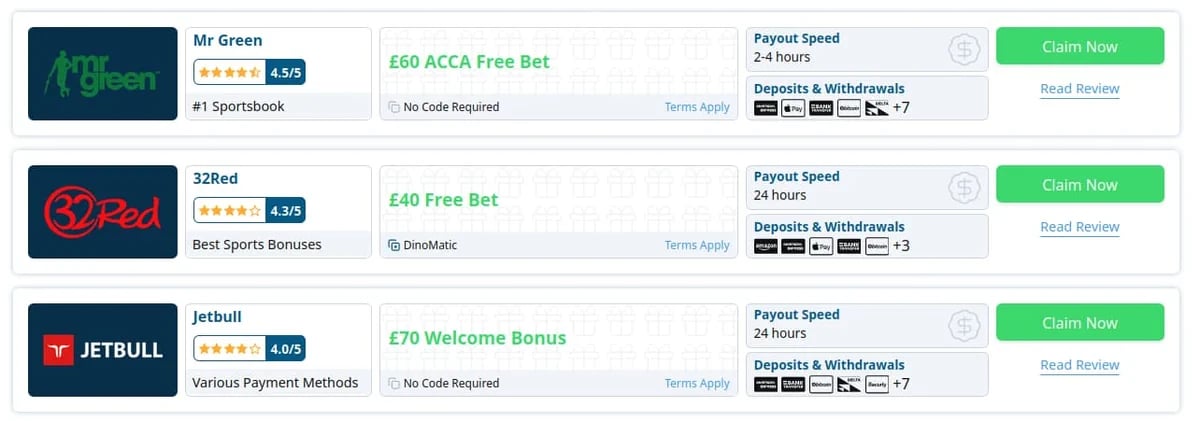
Table and Grid Bloks
Responsive Listings: Tables and Grids
Nice and responsive table and grid shortcodes for listing your reviews - all of them, or just a curated subset. Tables and grids adapt well to any theme, wrapping information into rows when there's no space left.
Geo Targeting
Automatically hide operators that don't accept players from a visitor's country, and route each visitor to the correct affiliate URL for their location - with a clean fallback when no local option is available.
Choosing Reviews
Choose reviews manually, or filter them by review categories and/or tags, as well as custom fields like countries, payment methods, currencies, sports, etc. Order by page ID, date, rating, and more.
Overwriting Values
Display a different bonus on listings than the one used on the review page - overwrite the bonus value, its promo code, or even set a custom affiliate link for that listing only.
Filters and Sorting
Enable filtering and sorting options in listing block settings so your website visitors can find what they're looking for, customized to fit your website's needs.
Terms and Conditions
Multiple ways to display terms and conditions on listing blocks - exclude them entirely, show them as links, use popups, or lay them out alongside other fields.
Kemoku Plugin Blocks
Reviews Tables & Grids
A listing of reviews in table and grid formats with different options.
Review Links
A card block for showcasing a single review's bonus offer, completely configurable.
Review Bonus
A card block for showcasing a single review's bonus offer, completely configurable.
Review Hero
A dedicated block to display the hero section anywhere on the page.
Review CTA
A call-to-action block displaying review data with overwriting option.
Review Info
A list of main properties such as name, website, license, etc.
Review Pros & Cons
A two-column grid of the pros and cons with colored icons.
Review Currencies
A list of supported currencies displayed with symbols.
Review Payments
A list of supported payment methods displayed with icons.
Review Services
A list of supported services displayed with a CTA section.
Review Countries
A list of supported or restricted countries displayed with icons.
Review US States
Supported US states displayed on a map or as a list of flags.
Review Country Support Message
A message displayed when the visitor's country is supported or not.
Review Sports
A list of sports with icons displayed with a CTA section.
Review Ratings
A list of different ratings displayed with rating stars and max values.
Most of the blocks are also available as WordPress shortcodes.
Geo Targeting: Built for Global Affiliates
Country-Aware Listings
Automatically hide operators that don't accept players from a visitor's country. Whether you're showing a single table or a full grid of reviews, only relevant options appear - improving user trust and click-through rates.
Smart Affiliate Links
Each visitor is sent to the correct operator link for their location, with automatic fallback to your link if no local option is available. Fewer dead ends, more conversions.
Custom Messaging & Badges
Highlight availability with clear badges and dynamic button text like "Join Now" or "Not available in your region." You're in control of the wording and style.
With Kemoku's geo targeting features, your reviews adapt to every visitor, no matter where they are.
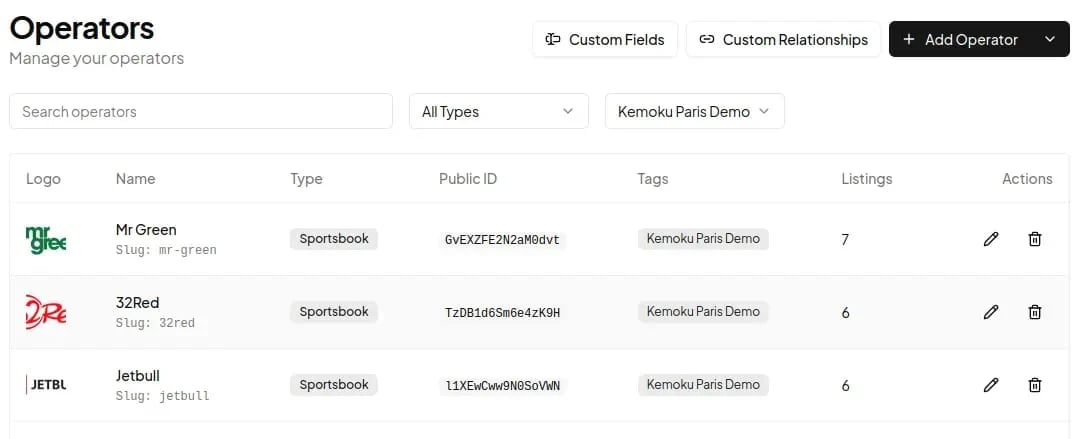
Running Kemoku on Several Websites?
Update a Bonus Once, It Changes Everywhere
Stop logging into separate WordPress dashboards to tweak the same sportsbook data. Connect Kemoku to tablrr, keep your operator data in one place, and your review fields stay in sync on every website.
Single Dashboard
Bonuses, terms, logos and links live in one place instead of being spread across many of WordPress websites.
One-Step Import
Give it the URL of your existing Kemoku website - your reviews are pulled in and the fields are mapped for you.
Hourly Sync
Changes sync to your review fields every hour, and a Sync Now button pushes urgent updates right away.
Features That Set Kemoku Apart
Clean & Unique Design
Predefined Color Themes
Fully Customizable
Optimized for Speed
Built SEO in Mind
Unbelievably Easy to Use
Standard WP Blocks
Shortcode Generators
Review Widgets
Review Structured Data
CTA Sections
Customizable Review Slug
Tables, Grids, CTAs
Review Page Blocks
Multiple Ratings
Easily Extendable
“The Kemoku plugin for casino reviews is an awesome product.”
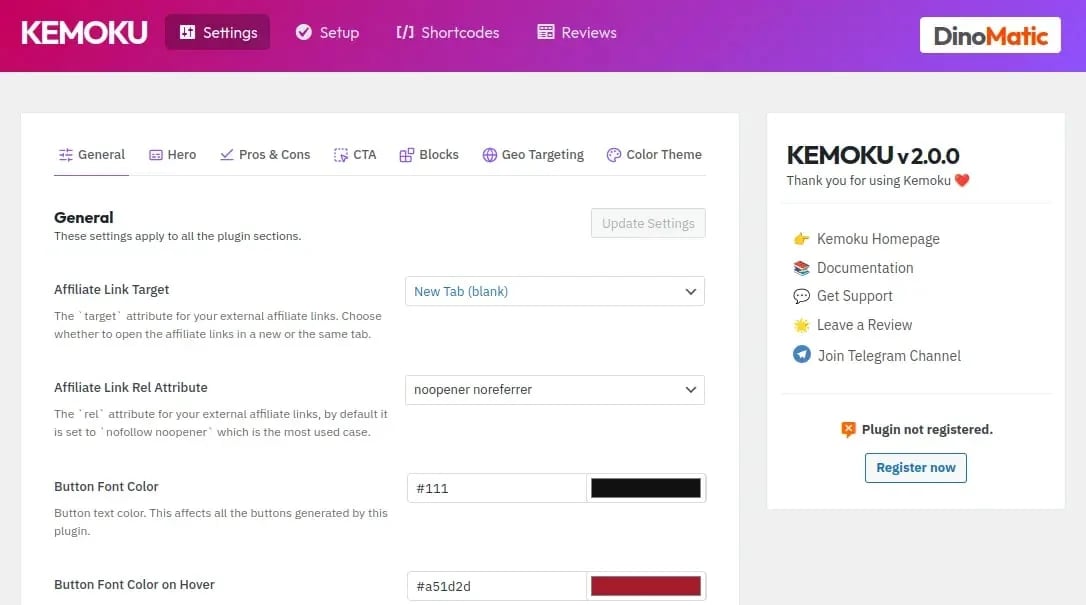
Customize the Plugin to Fit Your Website
It's really easy to make customizations.
Kemoku gives you all the options you need to customize the front-end of the plugin to fit your website design and layouts. You can change all its styles including colors, sizes, as well as any text string included in the pluginall through the settings page.
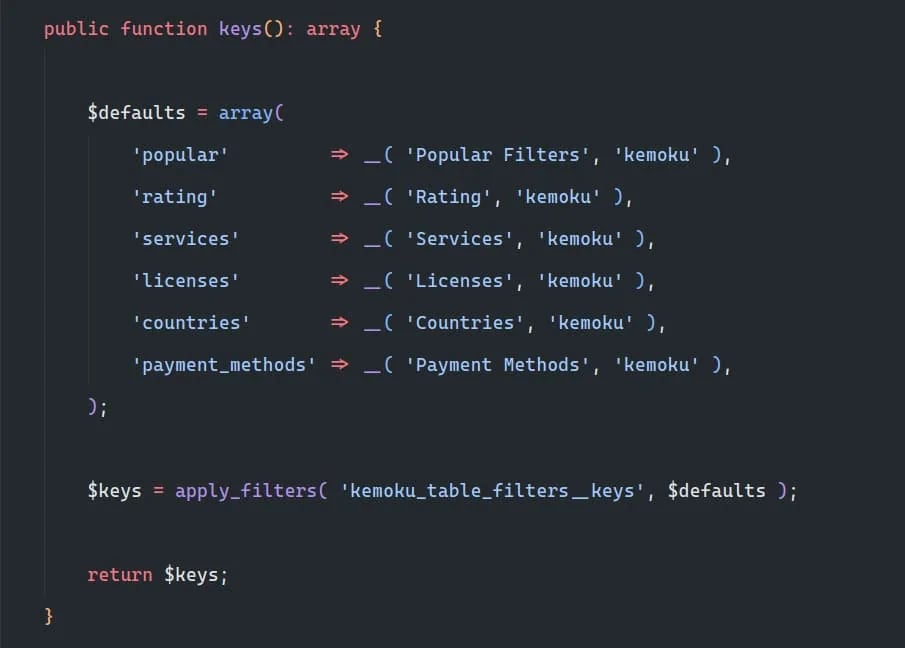
Writing Code? Change Anything You Want
Yes, I mean it - change anything you want.
Kemoku is built in a way that allows you to customize mostly everything without much hassle. The plugin provides hooks and filters for almost anything you may want to change. You can easily change the contents of tables and grids - just find the filter you need and update it the way you want.
Pricing - Pay Yearly or Pay Once
- Unlimited usage on unlimited websites
- 12 months of updates directly in your dashboard
- 12 months of direct support from the developer
- Unlimited usage on unlimited websites
- Lifetime access to all updates
- Lifetime priority support from the developer
All prices in Euros · VAT & local taxes may apply · Terms apply · Privacy Policy
Frequently Asked Questions
What is included in this purchase?
Yearly Package - You get updates and priority support for the next 12 months. After 12 months you can still use the plugin, however you won't get support or any new feature and security updates, unless you renew your purchase.
LifeTime Package - The Lifetime plan grants you lifetime access to all plugin updates and priority support. No renewals are required.
Will my Yearly package license key renew automatically?
How much does the renewal cost?
How can I renew my Yearly package license key?
* If you renew it sooner than the expiration date, you will NOT lose any of your remaining days.